**HOW TO INSTALL**
how to turn off windows security and antivirus
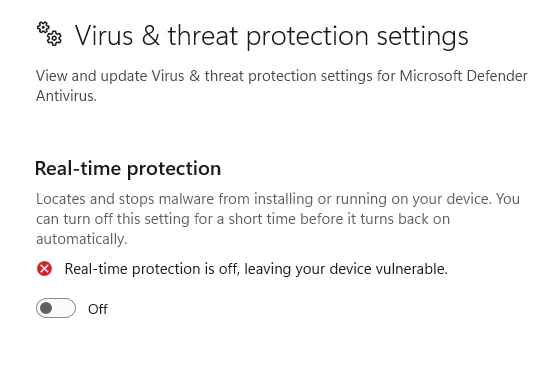
Step 1: System Prep (Required)
Disable Real-Time Protection: Turn off Windows Defender & Antivirus.
Disable Core Isolation: Search "Core Isolation" in Windows and turn off Memory Integrity.
Sync Time: Ensure your Windows Time is synced to current.
Step 2: Injection
Download and Open the Loader as Administrator.
Enter your License Key and press Login.
Select Fortnite and click Inject.
Wait for the loader to finish/close, then Launch Fortnite.
Published at Feb 23, 2026